Botple Notes
Filling in worksheets, scanning a paper page, exporting a finished copy, and the teacher marking tools.
How to use both Botple apps, how to install them, and straight answers to the questions people actually ask. Botple Notes and Botple Calc each have their own section below.
Filling in worksheets, scanning a paper page, exporting a finished copy, and the teacher marking tools.
Fractions and roots in proper notation, SHIFT and ALPHA, the calculation modes, and installing it as an app.
Botple Notes fills in worksheets. It opens a PDF — or a photo of a paper page — finds the places answers go, and exports a clean copy when you are done. Nothing you open is ever uploaded.
Drag a PDF onto the page, or press Open. Only have it on paper? Photograph it and open the photo instead — the page edges are found and straightened for you.
It offers the blanks, boxes and ruled lines it found — press Tab to move between them. If it misses one, click anywhere on the page and type there instead.
Switch to the pen for working out, the highlighter for marking a question, or shapes and arrows for diagrams. You can record a voice note where saying it is easier than writing it.
Export a new PDF, or page images if that is what you have to upload. Your original file is never modified — the export is always a new copy.
Nothing to install. Open it and start — it keeps working with no connection once it has loaded, and you can add it to your home screen the same way as Botple Calc, below.
There is a proper Windows installer if you would rather have Notes as a desktop application. It updates itself, and asks before installing anything.
Open a folder of submissions and mark straight through it, set one completed copy as the answer key, and export every marked script as a single PDF. These are in beta and are labelled as such inside the app.
A scientific calculator that writes maths the way you would on paper. The screenshots below are from the current build — every callout points at a real element on the real screen.
Real screenshots from the current build — every callout below points at a real element on the real screen, not a mockup.
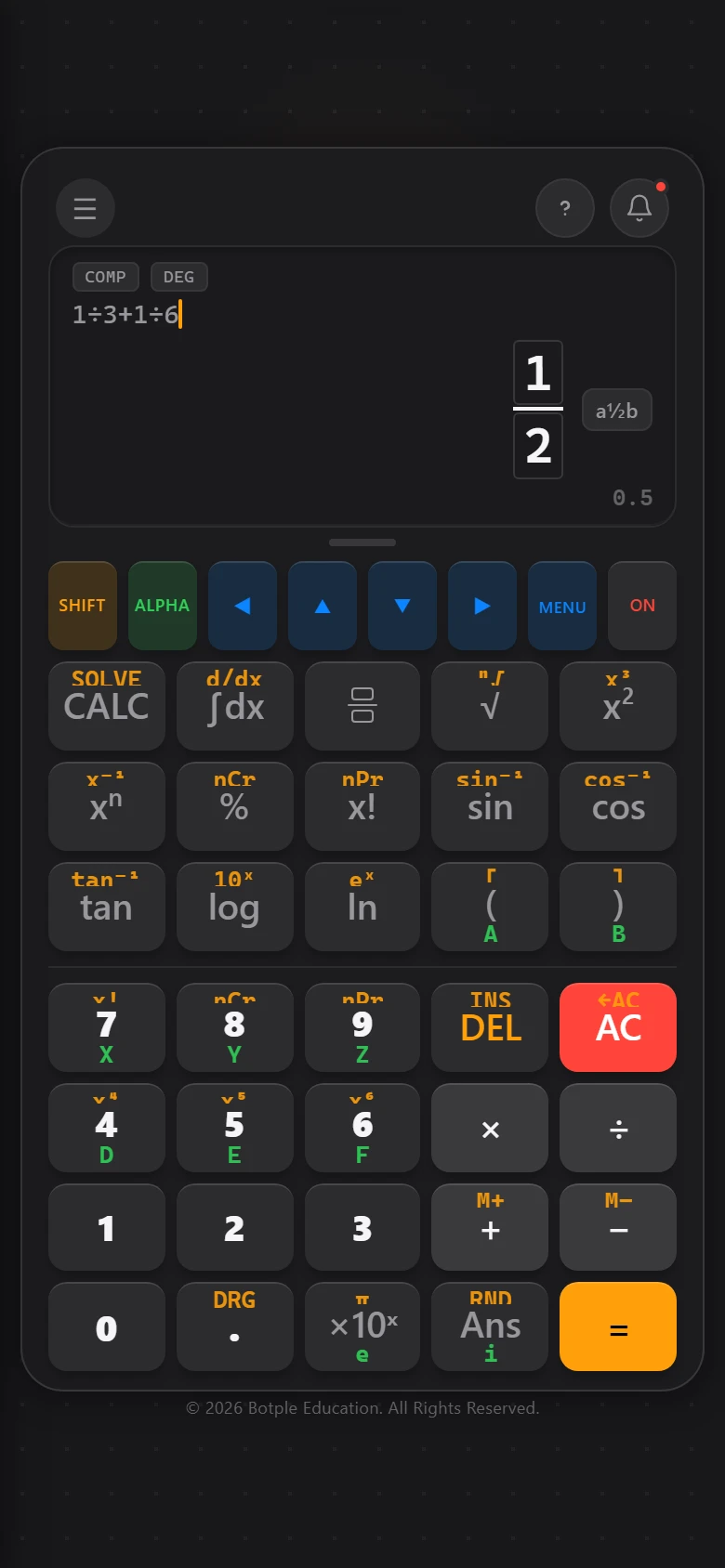
Fractions, roots, and exponents show up as real boxed notation — a fraction is numerator over denominator, a root shows the number under the bar. Tap directly inside the highlighted box to move your cursor there, exactly like writing on paper.
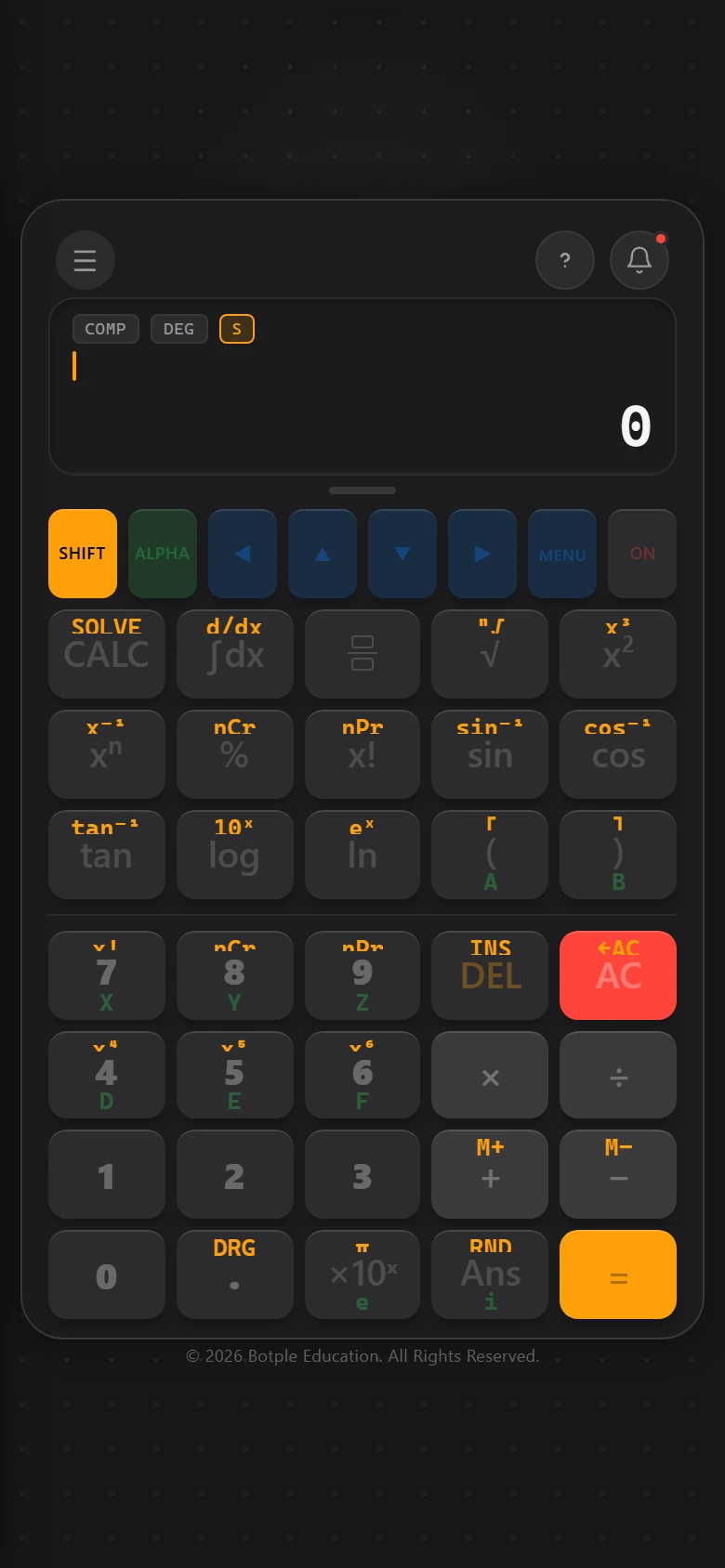
1 · SHIFT (gold) unlocks a key's second function — its label lights up gold while SHIFT is active. 2 · ALPHA (green) lets you type variable names like X, Y, or A through F.
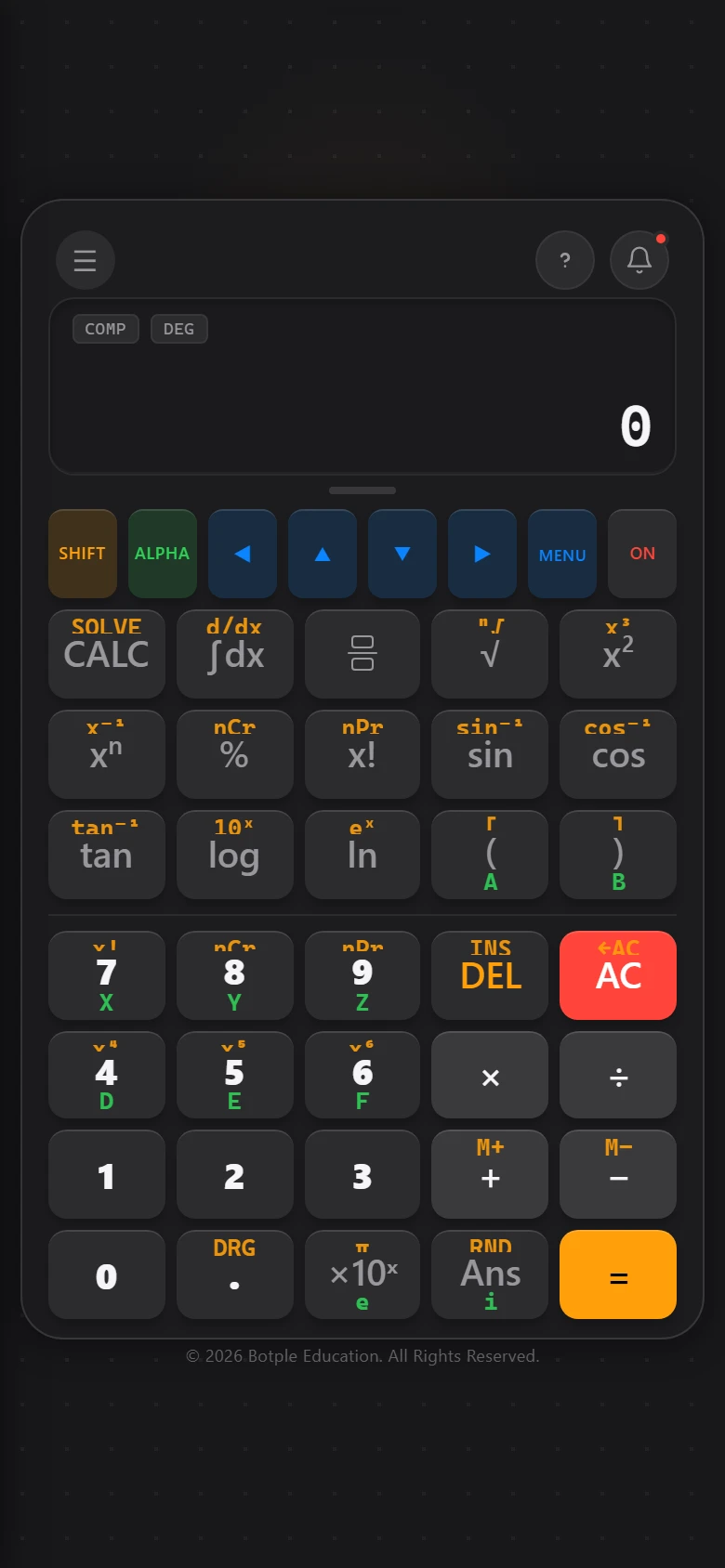
Type a formula using letters as placeholders — for example X+2 — then press the highlighted CALC key. It asks you for each unknown value one at a time and solves the formula for you. Once you answer, that value (STO) is remembered for later calculations too, until you clear it under Settings → Clear Variables.
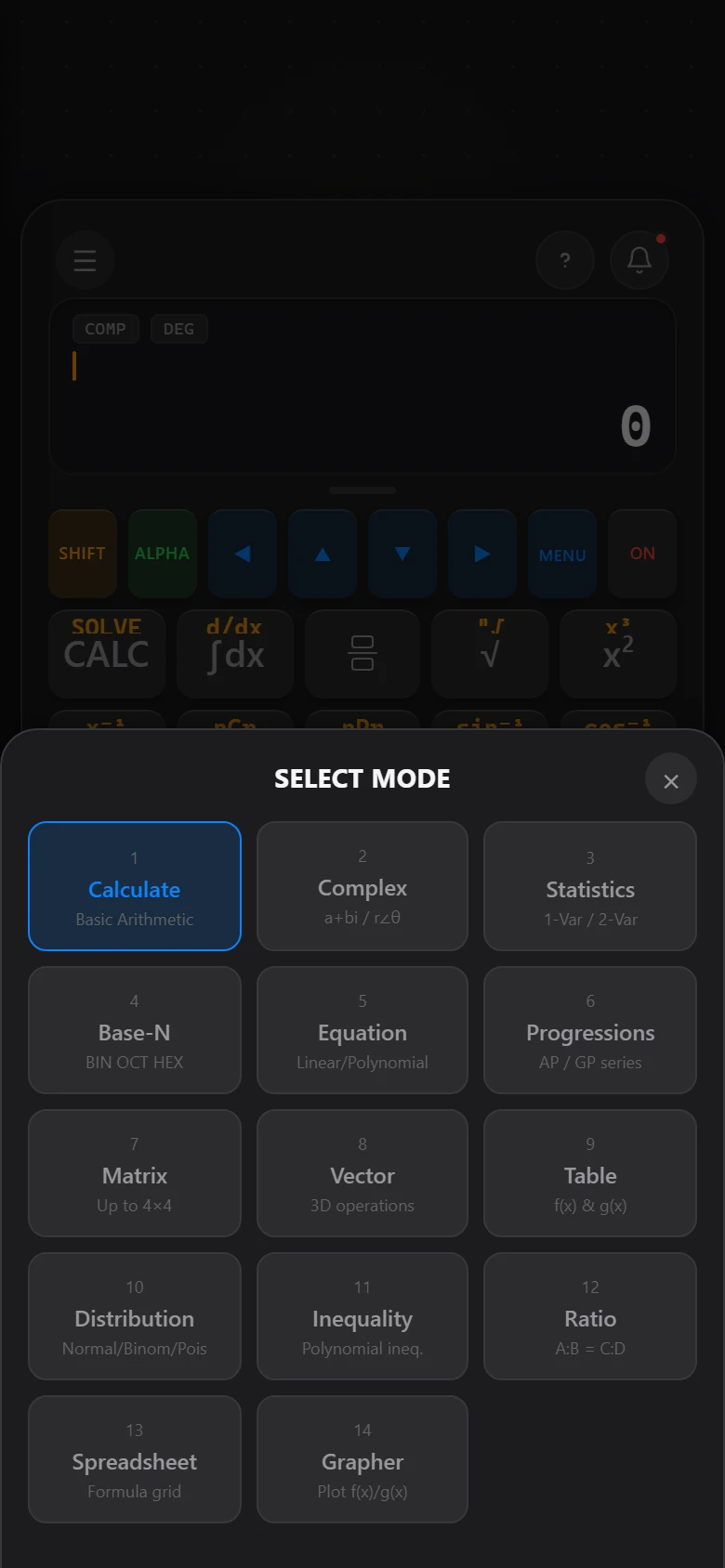
Press MENU to switch modes: Matrix, Vector, Statistics, Base-N, Equation Solver, Inequality Solver, Distributions, Progressions, Table, Spreadsheet, and the function Grapher — thirteen modes in total, all in the same app.
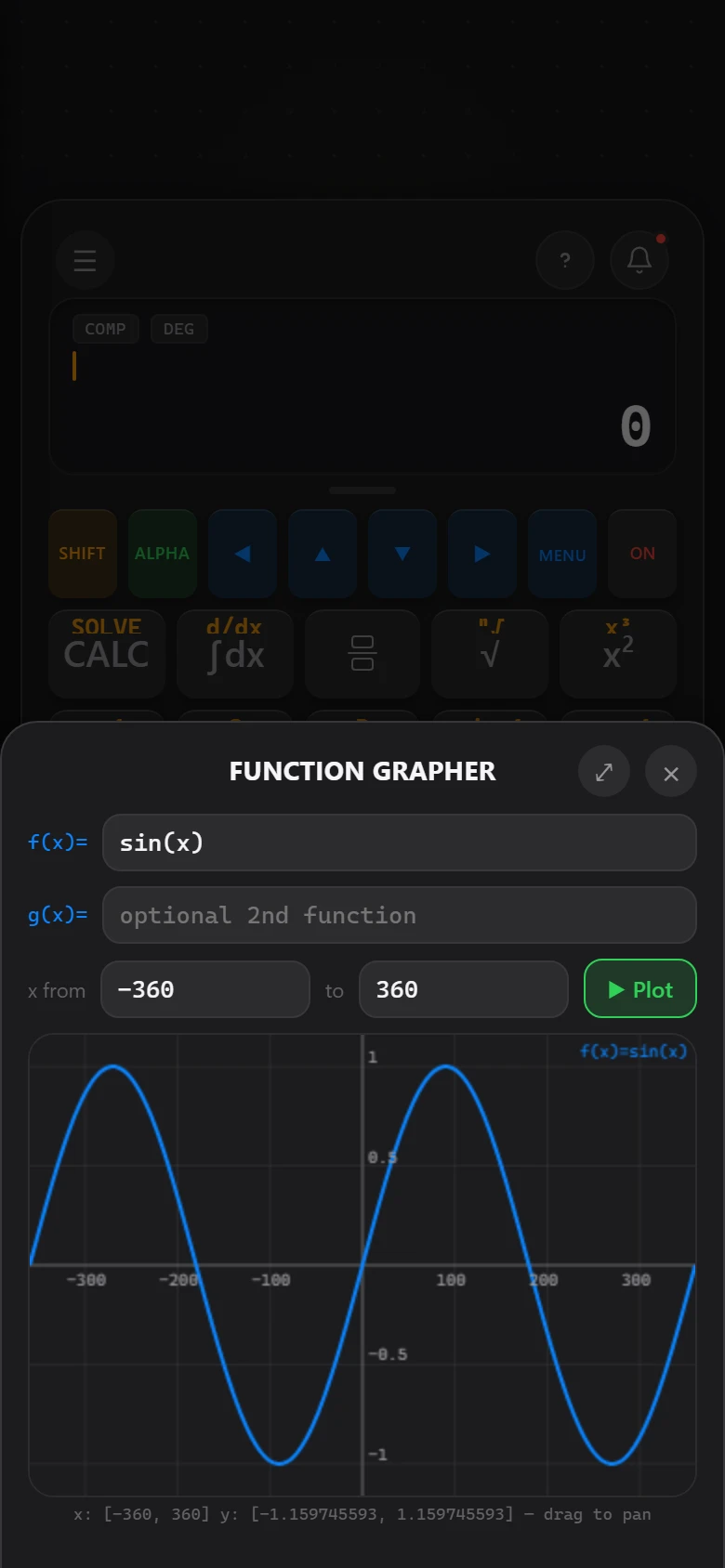
An exact-fraction engine (so 1÷3+1÷6 shows a real 1/2, not just a decimal), a bookmark list of common formulas, calculation history, offline handwriting recognition for entering expressions by drawing them (Write mode), and definite integral / derivative calculators.
Botple apps are installable web apps (PWAs) — no app store required. This works the same way for any Botple app, not just Calc. The steps below are the same ones shown inside Botple Calc's own install guide.
In Chrome or Edge, look for an install icon in the address bar (usually a small monitor-with-arrow icon), or open the browser menu and choose Install app. The app then opens in its own window, separate from your regular browser tabs.
Yes. Botple Notes and Botple Calc are both free to use, with no paid tier and no trial that ends.
No. No ad networks and no sponsored content, in either app or anywhere on this website.
No. Botple Notes opens your file in your own browser, on your own device. It is never sent to a server, which also means nobody but you has a copy — so export anything that matters before a deadline.
No analytics or tracking code runs in either app or on this website. Both apps keep your work in your own browser’s storage, never on a server. The only things that ever leave your device are what you type if you choose to submit the feedback form, and a small anonymous check for updates when there is a connection.
Both apps work in any modern browser — Safari, Chrome, Edge and Firefox, on phones, tablets and desktops. Installing as an app is supported on iOS/iPadOS Safari, Android Chrome, and desktop Chrome/Edge. Botple Notes also has a Windows installer.
Yes, once each has loaded a first time — see the section below for exactly what that covers.
MindSight is still being built and there is no fixed release date. Its own page carries an honest status update.
Botple Education is a small, independent, student-led project — not a company. See About for the full story.
Everything that matters. Once the page has loaded once, opening a worksheet, filling it in, drawing on it and exporting all work with no connection at all — because none of it ever needed a server. Voice-note transcription and saving to Google Drive are the exceptions; both need to be online.
Core calculator functionality works without a connection once the application resources have been cached. Features that depend on remote services may require an internet connection.
If this page didn't cover it, send us feedback — bug reports and questions both go to the same place.